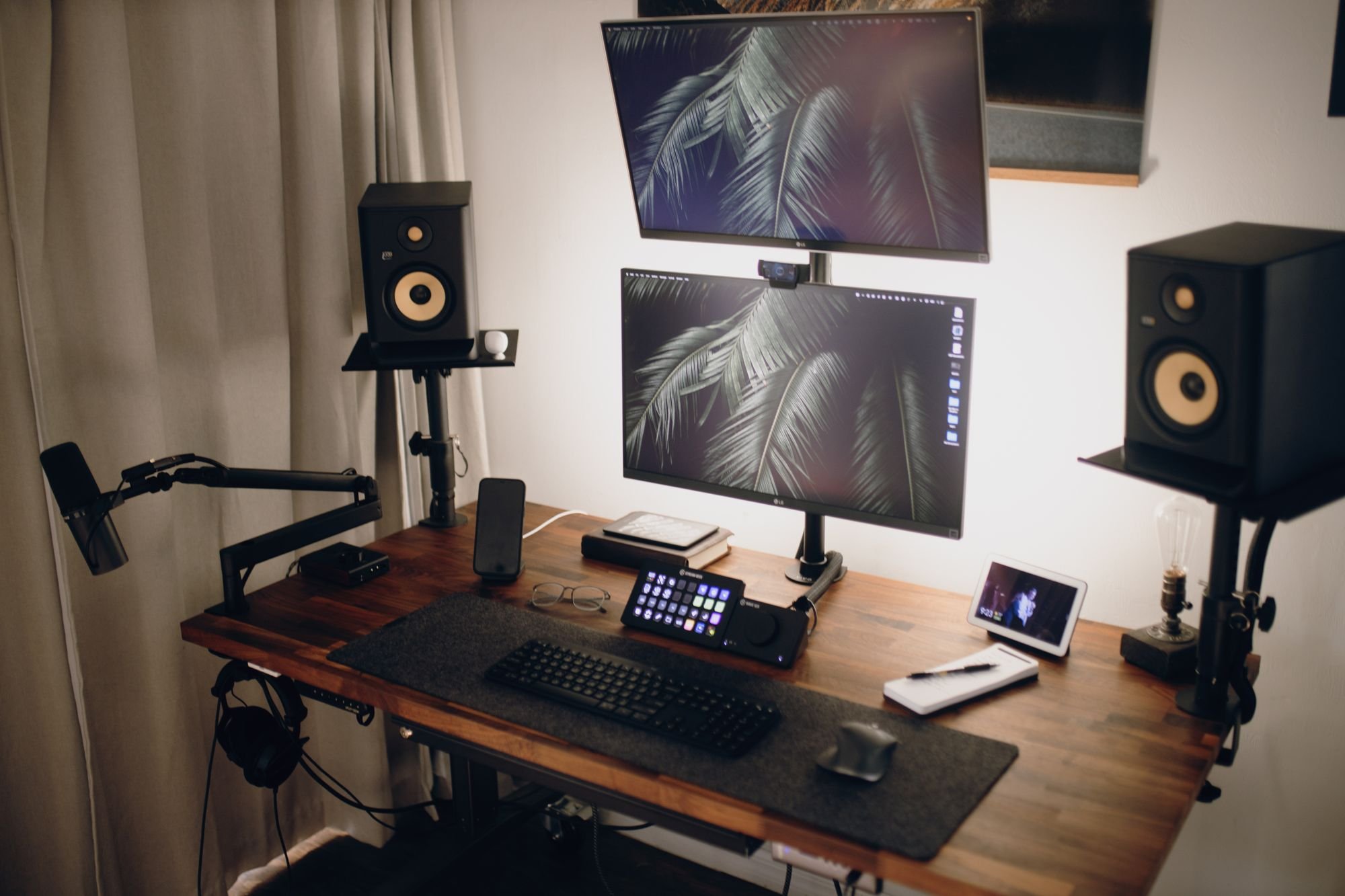
Whatnot OBS setup: stream and record at the same time
To use OBS on Whatnot, turn on OBS's websocket server, then connect to it from the Show Tools page on whatnot.com in Chrome. Whatnot sets your output to a vertical 1080x1920 canvas and the WHIP stream service. Restart OBS once, build your scene, turn on automatic recording, and start every show from Show Tools.
Going live from the Whatnot app is quick. OBS takes more setup the first time, and it gives you things a phone can't: more than one camera, overlays, clean audio, and a full recording of every show on your own computer. That recording is what you cut TikToks and Reels from later.
Why sellers move from the app to OBS
- More than one camera. A face camera and a product camera, or an overhead shot of the whole table. Whatnot's camera setup examples include an OBS desk with an overhead camera showing every item, plus a phone close to the desk as the main product camera.
- Overlays. Your logo, the next lot, a giveaway reminder, or shipping info, placed where you want them.
- Better sound. A real microphone, with filters that cut background noise.
- A recording of every show. The app keeps a 60-day replay inside Whatnot. OBS can save a full file on your computer while you stream.
If you only want to add a second view to a phone stream, Whatnot's screen sharing can put a webcam or a browser tab beside your phone camera without OBS. Whatnot's own tip on that page: for more control over layouts and camera views, use OBS.
What you need before you start
- A computer that can run OBS Studio. It's free for Windows, macOS and Linux from obsproject.com.
- Google Chrome. Whatnot's OBS help article calls Chrome the only supported browser for the connection.
- A wired internet connection, ideally. OBS streams to Whatnot over WHIP, a WebRTC protocol built for sub-second delay, per the OBS WHIP guide. Whatnot says WHIP expects a very consistent and strong connection and strongly recommends ethernet over Wi-Fi.
- A scheduled show on Whatnot, since you start OBS shows from the Show Tools page.
How to connect OBS to Whatnot
- Turn on the websocket server in OBS. Open Tools, then WebSocket Server Settings. Enable the server, enable authentication, and type your own password. Whatnot warns not to use the auto-generated one. Click Apply.
- Open Show Tools in Chrome. On whatnot.com, go to the Show Tools page and connect to the OBS websocket with that password.
- Click Update Profile (First Time Setup Only). Whatnot applies its required output settings for you: the vertical canvas, the WHIP stream service, and the rest of the output settings you'd otherwise type by hand.
- Close OBS and open it again. Then reconnect from Show Tools. Whatnot says OBS often doesn't register the new video and canvas resolution until it restarts, even when the settings look changed.
- Check the canvas. Whatnot runs a Health Check when you start a show. It should read 1080x1920. If it reads 1920x1080, restart OBS again and check Settings, then Video.
- Start the show from Show Tools. Connect to the websocket right before you go live, then click Start Show next to your show. Don't start it from the livestream page. Whatnot fills in the server and a fresh bearer token, its version of a stream key, for every show, so there's nothing to copy.
One surprise on your first show: if you open it in the Whatnot app on the same seller account, you see a grey Whatnot logo instead of your video. That's expected. The app turns into a show controller while you stream from OBS. Watch your stream on whatnot.com, or from a second account.
How to build a vertical scene that sells
A scene is one layout, and sources are what go in it. The OBS Sources guide lists the ones you'll use most:
| Source | Use it for |
|---|---|
| Video Capture Device | A webcam, a capture card, or a phone used as a camera |
| Audio Input Capture | Your microphone |
| Image | Your logo, a frame, or a price card |
| Text | The current lot, your next show date, or giveaway rules |
| Browser Source | Web overlays and alerts |
Sources stack in order, top of the list on top of the picture. A layout that works for most shows:
- Product camera, full frame. Buyers bid on what they can see, so the item gets most of the 9:16 frame. Whatnot's Production Guide calls your phone the best product camera and lists apps that bring it into OBS.
- Face camera, small. A corner box, so people see who they're buying from.
- Text along the top or bottom. Keep the middle clear. Whatnot's app draws chat and buttons over parts of the picture.
Moving over from an old 1920x1080 scene? Whatnot's tip: select every source with Shift, drag them into a new Group, then scale and move the group as one piece to fit the vertical canvas.
Light the product before you add anything else. Whatnot's Production Guide calls a two-point light setup your first real upgrade over a ring light, which it says creates flat, harsh images and reflections.
How to set your audio levels
Talk at your normal show volume and watch the meter in the OBS Audio Mixer. The OBS Audio Mixer guide says speech should sit in the upper yellow zone and only reach the lower end of red. Background music belongs in the green.
Then add filters to the microphone. Right-click it and open Filters. The OBS Filters guide describes the three that matter most for a seller's desk:
- Noise Suppression removes background hum, like a fan or an air conditioner.
- Noise Gate cuts the mic when you aren't talking, so packing tape and keyboard clicks don't come through.
- Limiter stops distortion when you get loud over a big pull.
How to record every show while you stream
Set this once, before your first OBS show. In OBS, open Settings, then General, and turn on automatic recording when streaming, an option listed in the OBS Studio overview. From then on, every show saves a full 1080x1920 file from the moment you go live.
That file is already vertical, the shape TikTok, Reels and Shorts use. Our guide to recording a Whatnot show covers the format, folder and file sizes, and our guide to clipping a Whatnot stream covers cutting it into posts. Or send us the file and we'll cut it: how we work takes about 15 minutes of setup with you, once.
Fixes for common Whatnot OBS errors
All of these come from the troubleshooting section of Whatnot's OBS help article.
| Problem | Fix |
|---|---|
| Show Tools won't connect to OBS | Check the password, use Chrome, try an incognito window, and make sure the websocket server and authentication are both on in OBS. Use your own password, then click Apply. |
| Health Check reads 1920x1080 | Close and reopen OBS, then reconnect. |
| "Starting the output failed" | Click View Required Settings on Show Tools and match each one. Most often the Stream tab isn't set to WHIP. |
| "Failed to connect" | Usually the network. Switch to ethernet, and turn off firewalls that block streaming, which corporate networks often do. |
| "Failed to set show to playing" | Show Tools sat connected too long. Refresh it, reconnect, and click Start Show again. |
| Stream runs more than 2 seconds behind | Set CPU Usage Preset in OBS Output settings to superfast or ultrafast, and check your connection for packet loss. |
About that delay: Whatnot notes that 2 seconds is normal for live video and about the lowest any platform gets. Use the OBS preview to watch yourself, not the Whatnot stream window, and the delay won't throw you off.
Before every OBS show
- Ethernet plugged in.
- Product light on, product camera in focus.
- Mic meter in the yellow while you talk.
- Automatic recording on, with space on the drive.
- Show Tools connected right before you go live, and the show started from there.
Once the recording is there, every show turns into a week of clips. See what we clip from beauty, electronics, jewelry and fashion shows.
Questions sellers ask
What resolution does Whatnot need from OBS?
A vertical 1080x1920 canvas. Whatnot's Show Tools page sets it during first-time setup, but OBS often doesn't pick up the change until you close and reopen it. If Whatnot's Health Check reads 1920x1080, restart OBS and check again.
Which browser do I need for Whatnot's OBS connection?
Google Chrome. Whatnot's help center calls it the only supported browser for the websocket connection on the Show Tools page. If a Chrome extension gets in the way, connect from an incognito window, which runs without extensions.
What stream service do I pick in OBS for Whatnot?
WHIP. In OBS, open Settings, then Stream, and set the service to WHIP. You don't paste a server or key yourself: Whatnot fills in the server and a new bearer token for each show when you start it from Show Tools.
Can I use Wi-Fi to stream to Whatnot from OBS?
You can, but Whatnot strongly recommends a wired ethernet connection. WHIP, the protocol OBS uses for Whatnot, expects a steady connection, and Whatnot names the network as the usual cause of the Failed to connect error.
Why can't I see my OBS show in the Whatnot app?
When you're live from OBS, the app on the same seller account works as a show controller and won't play your video. Check the stream on whatnot.com in a browser, or watch from a second account.
Does OBS record my Whatnot show too?
Only if you turn it on. In OBS, open Settings, then General, and switch on automatic recording when streaming. Every show then saves a full vertical file while you sell.
Sources
- Using OBS with your Livestream, Whatnot Help Center. Opened Oct 10, 2026.
- Production Guide, Whatnot Seller Academy. Opened Oct 10, 2026.
- Policy-Compliant Camera Setup Recommendations, Whatnot Help Center. Opened Oct 10, 2026.
- Share your computer screen during a show, Whatnot Help Center. Opened Oct 10, 2026.
- OBS Studio, OBS Project. Opened Oct 10, 2026.
- WHIP Streaming Guide, OBS Knowledge Base. Opened Oct 10, 2026.
- Sources Guide, OBS Knowledge Base. Opened Oct 10, 2026.
- Audio Mixer Guide, OBS Knowledge Base. Opened Oct 10, 2026.
- Filters Guide, OBS Knowledge Base. Opened Oct 10, 2026.
- OBS Studio Overview, OBS Knowledge Base. Opened Oct 10, 2026.